GitHub Profile README: Make Your GitHub Work as Your CV
Yahooo! Salam Alaikum! (^-^)/ shabab and students who will graduate soon
When someone wants to know what you can do, they will often open your GitHub profile before they open your CV. The first thing they see is your profile README, the page at the top of your profile. If it is empty, you wasted your best first impression. If it is well made, it tells your story in ten seconds.
This article shows how I customized mine, why it matters for your career, and how you can build yours.
A profile README reflects your work and your knowledge in one place. It is worth the time because:
It is your landing page. Recruiters, teammates and clients land on it first, before any repository.
It works like a CV that stays current. Your skills, workplace and projects can be updated with one commit.
It shows your skills, not only lists them. The tech badges, pinned projects and links give proof.
It shows your personality. Interests, languages and style make you easier to remember than a plain list.
It points people where you want. Your portfolio, LinkedIn, articles and contact links are one click away.
It is free and takes under an hour to do a good first version.
My profile README
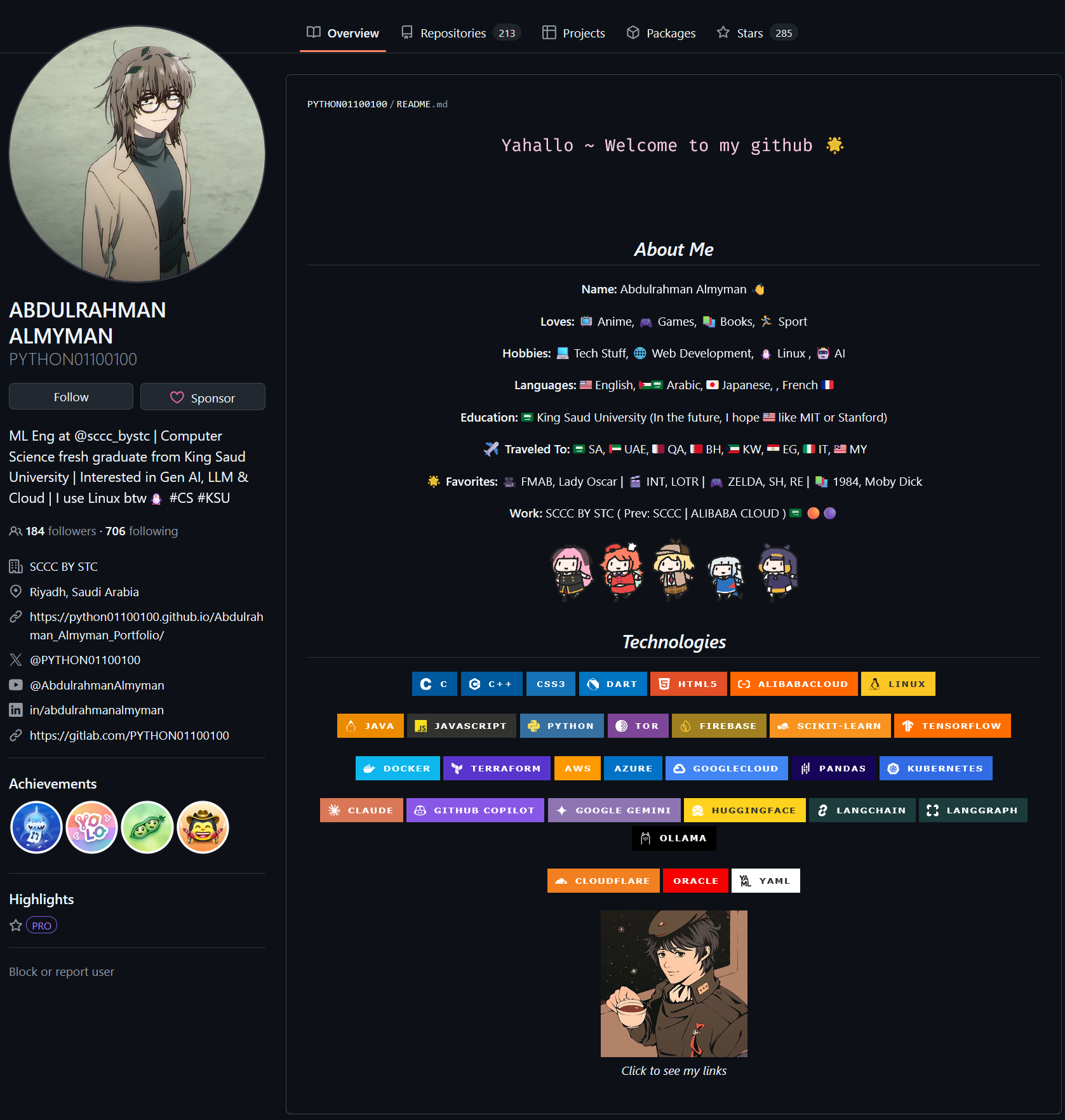
My GitHub profile README: a welcome line, an About Me section, a technologies badge grid and a link image
This is the structure I used:
A welcome line at the top, to set the tone.
About Me: name, interests, languages, education, places I have traveled and my current work (SCCC by stc).
Technologies: a grid of badges for the languages, cloud platforms and tools I work with, such as Linux, Docker, Kubernetes, Terraform, AWS, Azure, Alibaba Cloud and Hugging Face.
Links: an image at the bottom that leads to my other pages.
The profile sidebar next to it repeats the key facts: my role, my company, my location, and links to my site, X, YouTube and LinkedIn. The README and the sidebar work as a pair, so fill both.
How to create your profile README
On GitHub, create a new public repository whose name is exactly your username. For example, my username is PYTHON01100100, so the repository is PYTHON01100100/PYTHON01100100.
GitHub shows a message saying this is a special repository. Tick Add a README file when you create it.
Edit README.md. Whatever you write there appears at the top of your profile.
Commit. Your profile updates right away.
Or from the terminal:
bash
git clone https://github.com/YOUR_USERNAME/YOUR_USERNAME.git
cd YOUR_USERNAME
# edit README.md with your editor, then:gitadd README.md
git commit -m"Update profile README"git push
A simple starter template
README files are Markdown, and GitHub also accepts a little HTML, which is useful for centering. Start from this and make it yours:
text
<div align="center">
# Hi, I'm YOUR NAME
**Your role at your company, in one line**
[Portfolio](https://your-site.dev) · [LinkedIn](https://linkedin.com/in/you) · [X](https://x.com/you)
</div>
## About me
- Role: Cloud and DevOps Engineer at Company
- Location: City, Country
- Languages: English, Arabic
- Currently learning: Go and Kubernetes
## Technologies




## Featured projects
- [Project one](https://github.com/you/project-one): what it does in one line
- [Project two](https://github.com/you/project-two): what it does in one line
## Contact
Email: [email protected]
Tips that make a real difference:
Badges from shields.io turn a skill list into a clean, colorful grid. Use one style (for example for-the-badge) for all of them.
Group skills by category (languages, cloud, tools) so they are easy to scan.
Pin your best repositories on the profile too. The README tells the story, and the pins prove it.
Add stats widgets only if you like them. They are optional, and they depend on outside services that can fail.
Keep it short. A reader should get who you are, what you do and how to reach you in about ten seconds.
Examples to learn from
These are public profiles I studied. Every one of them uses the README differently, so look at them and take the ideas that suit you. Each example links to its repository.
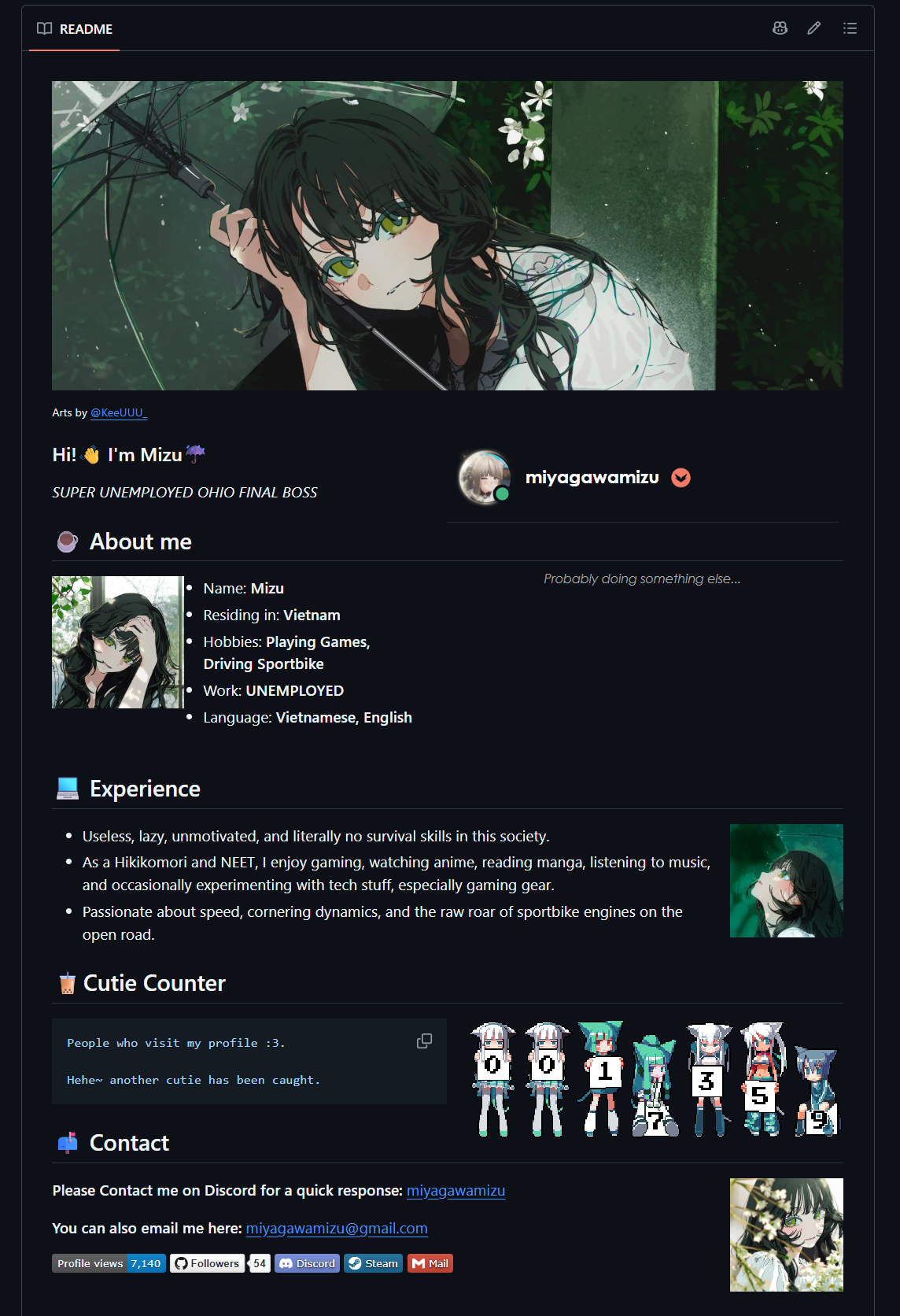
What to learn: a big banner image with credit to the artist, a clear "About me" list (name, location, hobbies, work, language), a visitor counter, and a contact section with badges for Discord, Steam and email. It shows how a strong visual theme makes a profile memorable.
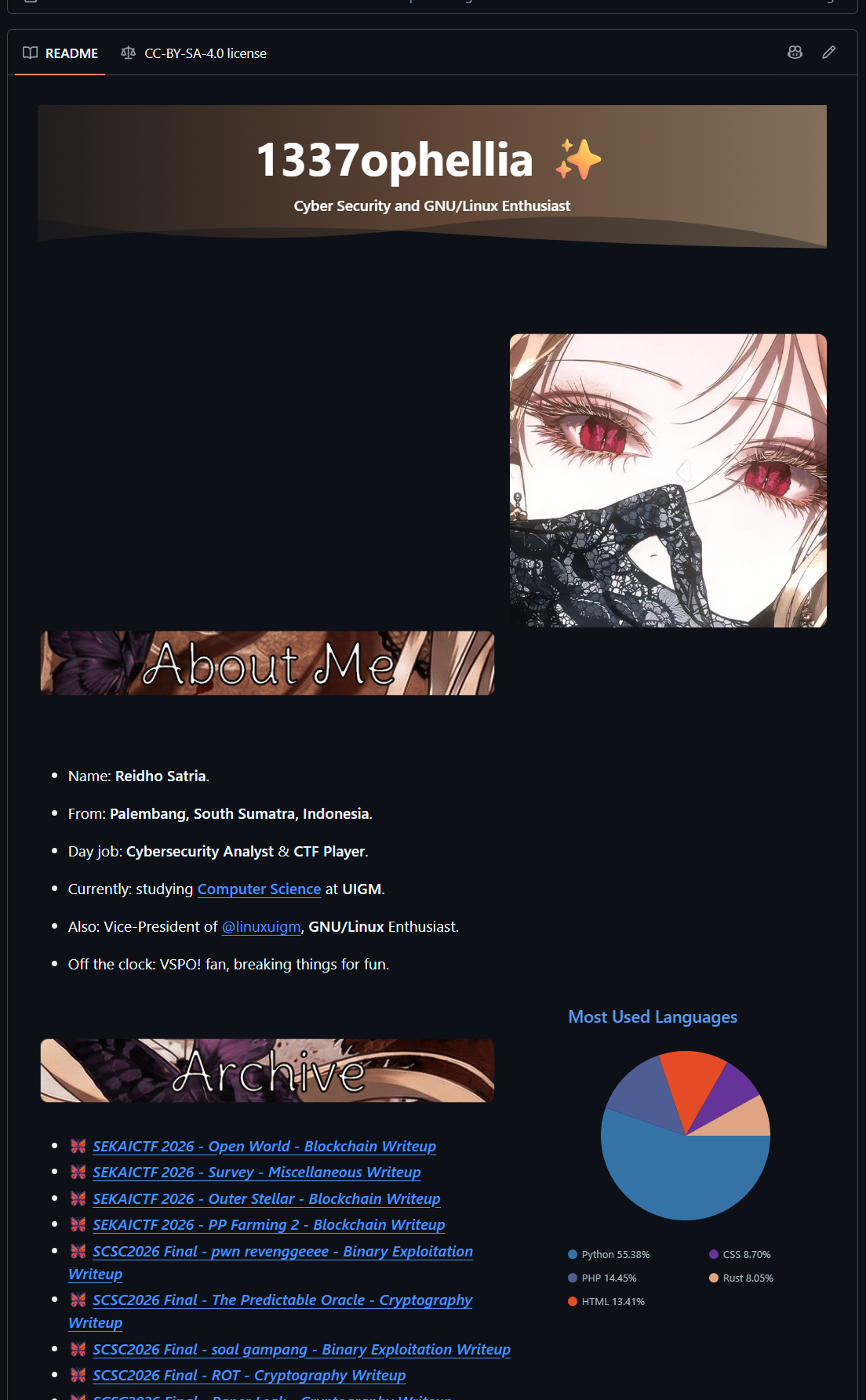
What to learn: a branded header with name and one-line title, custom image banners for each section ("About Me", "Archive"), and an archive list of write-ups. A language chart sits next to the text. It is a great model if your work is articles or write-ups, because the README acts as an index.
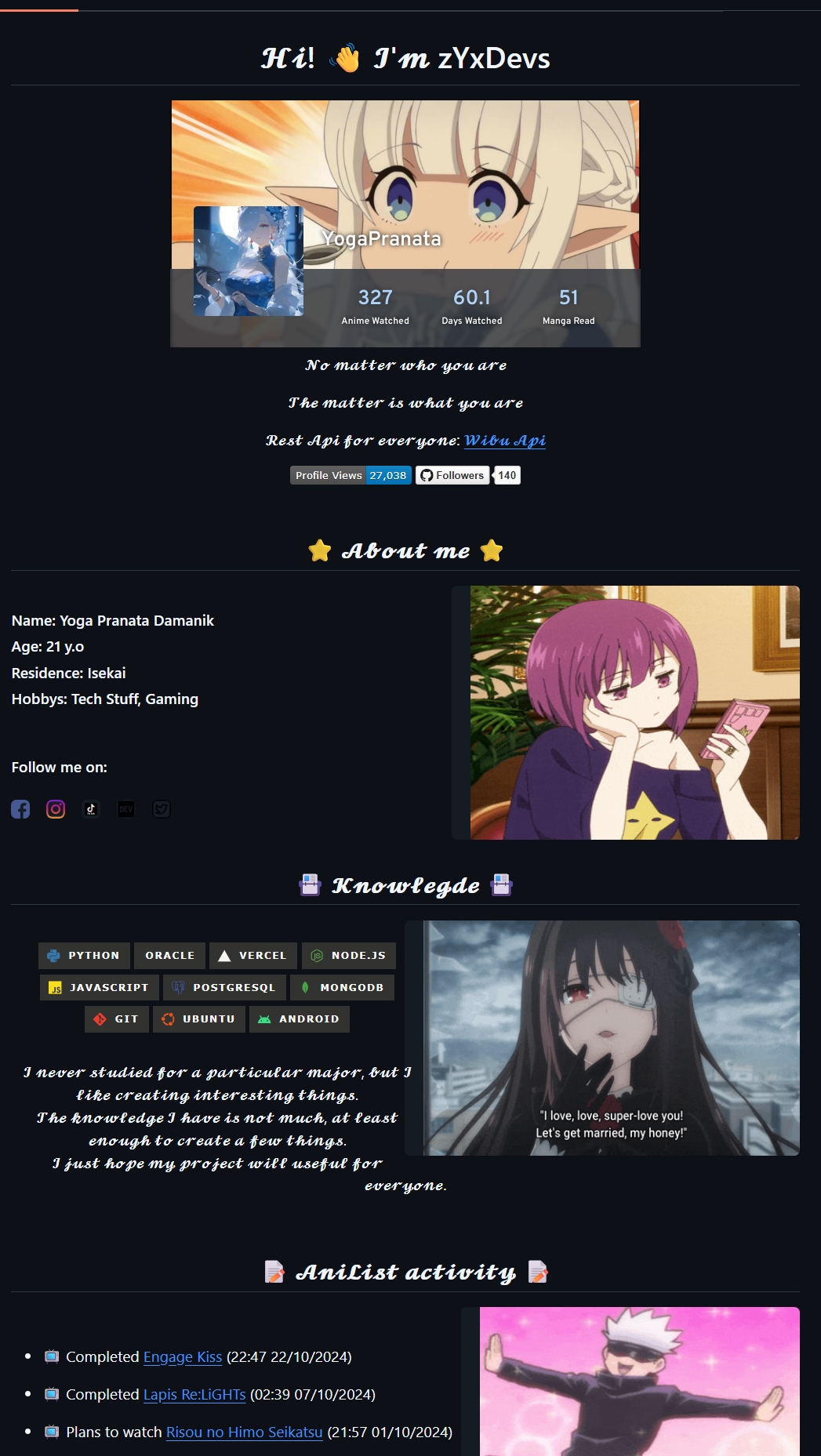
What to learn: a styled heading and quote, live stats cards (profile views, followers, anime and manga stats), social icons, and tech badges in a "Knowledge" section. It also shows a recent-activity feed. It is a good example of mixing personal interests with technical skills.
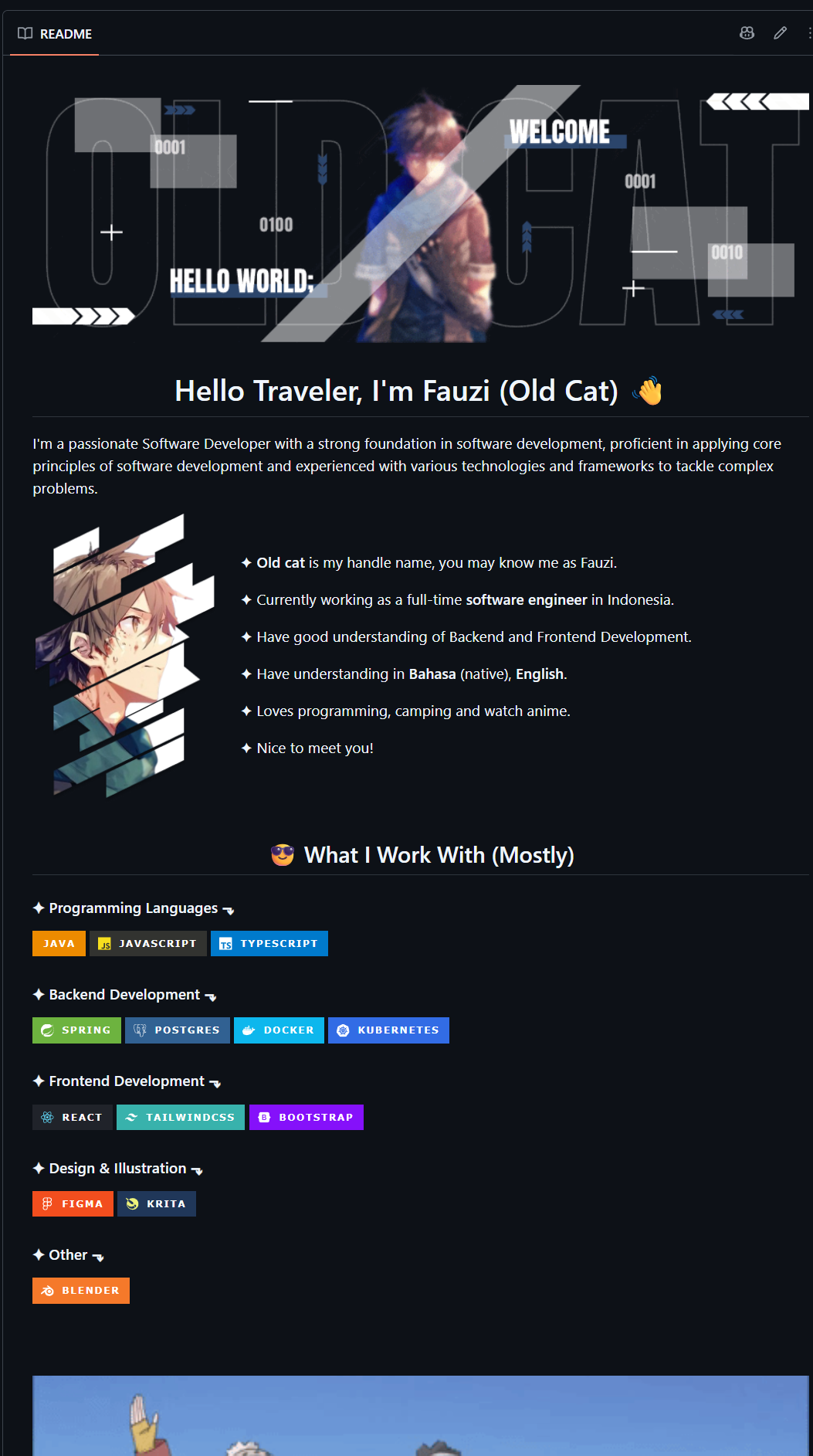
What to learn: a hero banner, a short professional summary, and tech badges grouped by category (languages, backend, frontend, design, other). If you want the most CV-like layout of the five, start here.
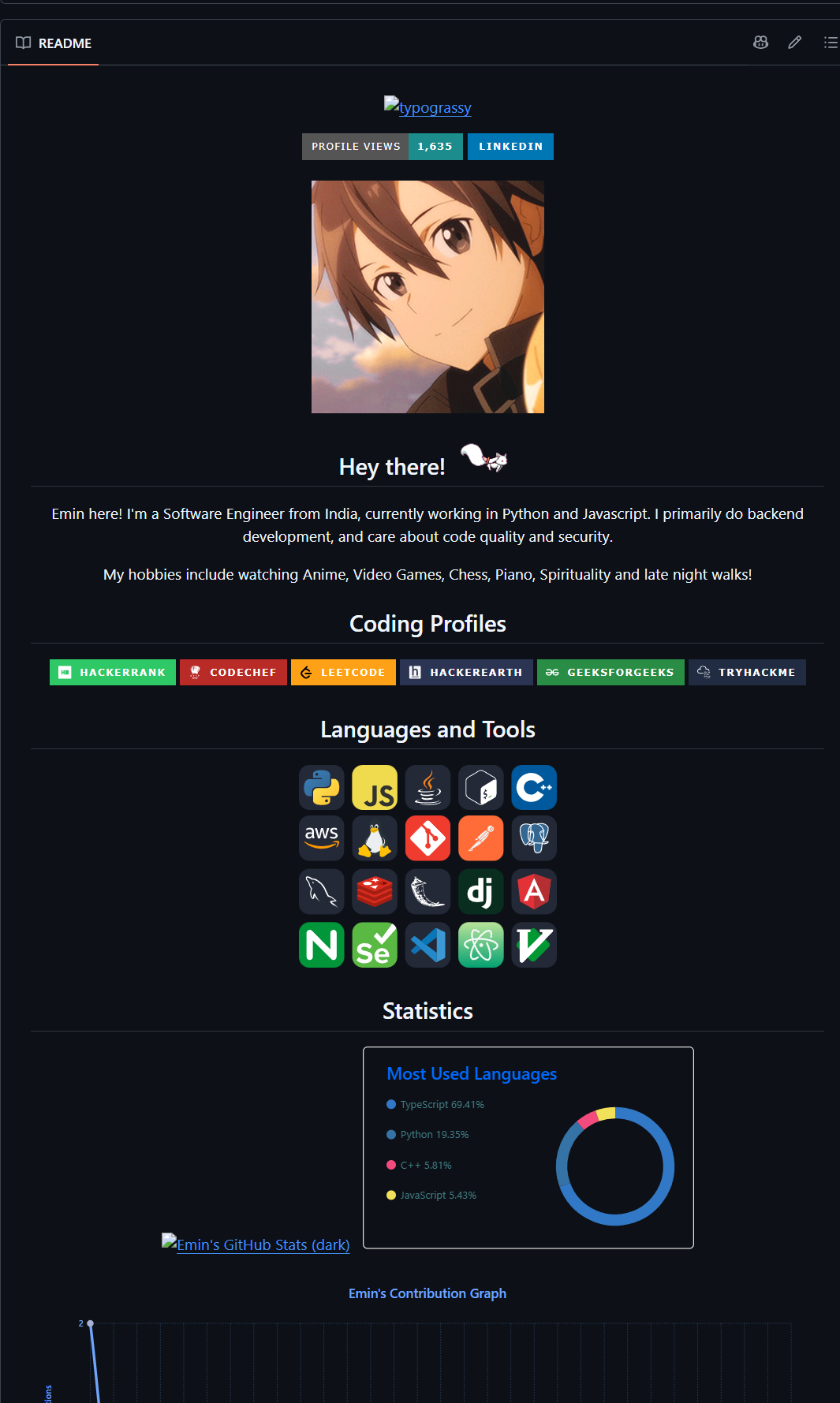
What to learn: a centered layout, a short introduction, badges for coding profiles (HackerRank, LeetCode, TryHackMe and others), a neat grid of language and tool icons, and statistics sections. It also shows a risk: two of its images (a banner and the stats card) failed to load in my screenshot. Widgets that depend on outside services can break, so check your profile now and then and remove anything that stops working.
A checklist for your own README
[ ] Repository named exactly like your username, and public
[ ] A clear one-line introduction (who you are, what you do)
[ ] Your current role or focus
[ ] Skills as badges, grouped by category
[ ] Links to your portfolio, LinkedIn and email
[ ] Two or three featured projects, with one line each
[ ] Looks good on both light and dark GitHub themes
[ ] No broken images (open the profile in a private window to check)
[ ] Updated whenever your job or skills change
Conclusion
A GitHub profile README takes very little time, and it quietly works for you every time someone looks you up. Treat it as a living CV: update it when you learn something new, change jobs or finish a project. Use the examples above for ideas, keep your own style, and make sure the first ten seconds tell the truth about your work and your knowledge.